The Podcast Room Test You Can Do Before Pressing Record
Use a ten-minute listening and recording-chain check to find echo, hum, interruptions and practical problems before a podcast session begins.
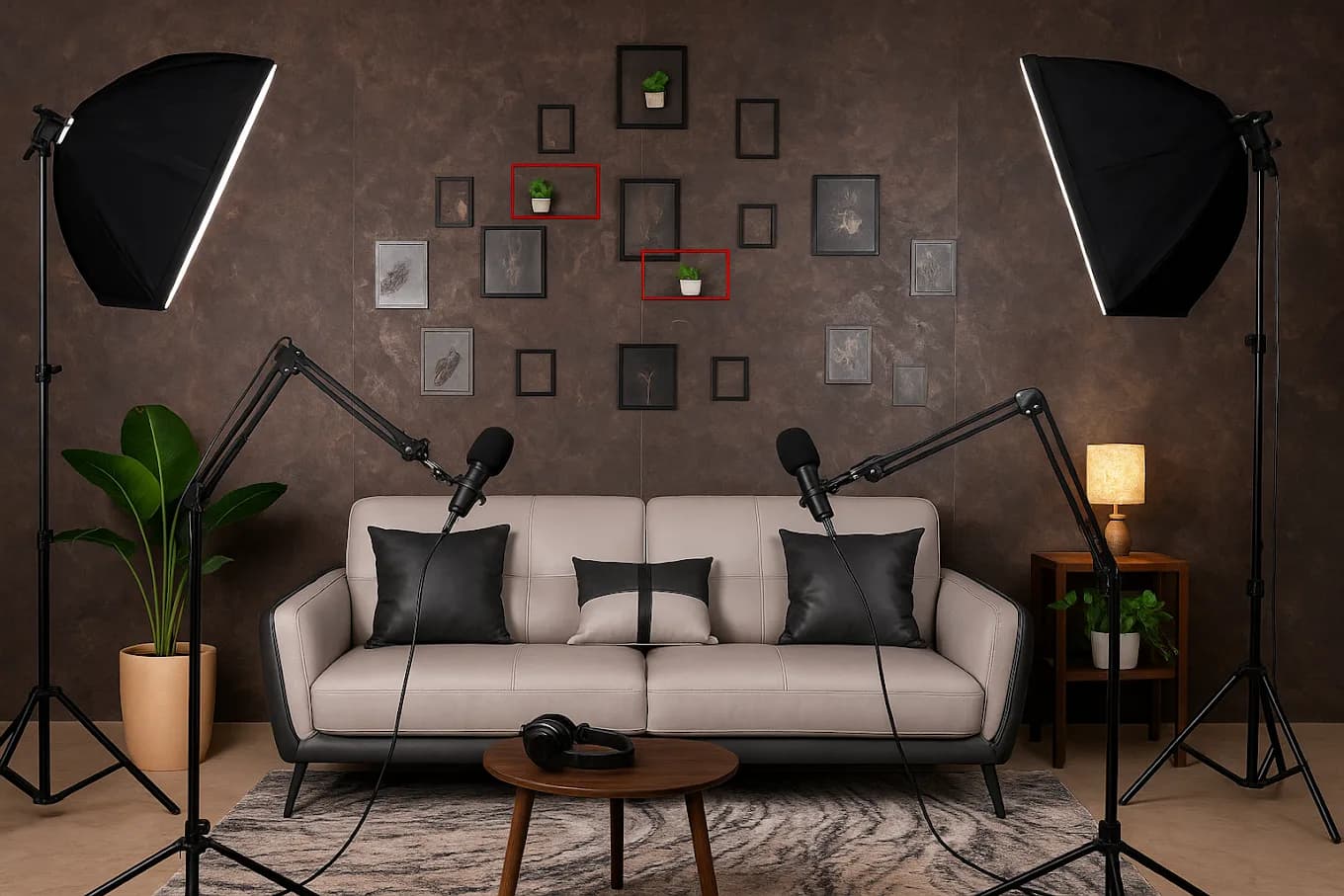
A sofa, two microphones and a dark wall can make a convincing podcast photograph. None of them tells you what happens when a lift moves, the air conditioning starts or a kitchen begins service next door.
Close the door and listen before discussing the frame. Check for reflections, steady hum and intermittent noise, then test the full recording chain. The room matters because every microphone captures some part of it along with the voice.
Listen before you look
Arrive at a time that resembles the planned session if possible. A quiet room between bookings may behave differently when adjacent spaces, roads or building systems are active. Ask the host what else will operate during your slot.
Speak, clap and wait
Stand where each person will sit. Speak at conversation level, then clap once and listen to what follows. A flutter or long decay is a reason to make a test recording and ask a recording professional whether the room needs treatment. Soft furnishings may help, but a sofa alone cannot confirm the room is suitable.
Then sit in silence for a full minute. Most people stop listening too soon. Note three kinds of noise:
- Steady: air conditioning, fans, refrigerators, electrical buzz or a constant road bed.
- Intermittent: lifts, horns, doors, plumbing, aircraft, kitchen equipment or nearby conversations.
- Self-made: chair movement, table knocks, jewellery, paper, cups, clothing and laptop fans.
The steady layer may be tolerable if it is low and consistent. Intermittent sounds are harder because they can interrupt a useful answer without warning.
Do not call a room soundproof unless a qualified technical assessment supports that claim. “Quiet during this test” is more accurate and more useful.
Trace sound beyond the frame
Look at what shares a wall, floor, ceiling and route with the recording area. A visually private room can still receive sound from a corridor or service area.
Building and street
Ask when lifts, housekeeping, deliveries or maintenance are active. Close the door and listen again. Test any window that will stay shut during the session. If the room faces a road, do not assume a higher floor removes every interruption.
Kitchens and hospitality spaces
A cafe-adjacent room can be convenient for guests and crew. The trade-off is activity: grinders, crockery, music, service doors and conversation. Ask whether the recording room has a separate door and whether background music can be heard or controlled during your slot.
Air and comfort
Record with the cooling or ventilation in the state you will actually use. Switching it off may make a short test sound cleaner but create an uncomfortable long conversation. If the system is noisy, decide whether breaks between segments are workable. Do not make that choice for the guest without considering heat and comfort.
Check the complete recording chain
“Microphones included” leaves several questions open. Ask for the exact equipment available for your session and who is responsible for operating it.
Confirm:
- microphone quantity and type
- stands or arms that hold position without table noise
- headphones for monitoring
- audio interface, mixer or recorder
- cables, adapters and power supplies
- recording software and file format
- a trained operator, if required
- where files are saved and how they are handed over
- the backup recording plan
Bring a short sample project when possible. Record 30 seconds of normal conversation, a pause and a louder laugh. Listen on headphones. The test should include both speakers and every microphone, not only a host speaking into one channel.
Protect the files with two decisions made before arrival: who presses record and who confirms the backup. A second recorder is useful only when someone checks that it is running and receiving signal.
Make the room work on camera
Sound comes first for a podcast, but a filmed conversation still needs a comfortable visual plan.
Eyelines and camera positions
Seat guests at a natural conversation angle before placing cameras. If a person must turn away from the other speaker to face the lens, the setup is working against the exchange. Mark camera and operator space so it does not block the door or guest route.
Practical light
Check how the room looks at the planned time. Windows may change exposure during a long conversation. Existing lamps may look warm but provide little useful face light. Ask what additional lights and stands are permitted, where they can sit and how cables will be kept away from feet.
Quiet comfort
Test chairs for a real sitting period. Listen when someone shifts position. Provide water on a stable surface that does not transmit every touch into the microphone. Give guests a place for phones, bags and anything that may knock against the table.
Run the ALTR ten-minute room test
Use this after the room is arranged and before the guest sits down.
Minute 0 to 2: room state
- Close doors and windows as planned.
- Set cooling, lights and neighbouring equipment to the recording state.
- Ask the venue team to begin any agreed quiet period.
Minute 2 to 4: listen
- Sit at every microphone position.
- Speak, clap once and listen to the room.
- Stay silent long enough to hear steady and intermittent noise.
Minute 4 to 7: record
- Record normal speech, overlap, a pause and a louder moment.
- Touch the table, shift each chair and move any notes.
- Monitor every channel on headphones.
Minute 7 to 9: protect the session
- Confirm file destination and available recording time.
- Start and verify the backup.
- Put phones and avoidable devices in their agreed state.
Minute 9 to 10: control interruptions
- Put a clear recording notice outside if the venue permits it.
- Confirm who handles a knock, delivery or venue question.
- Capture 30 seconds of room tone with nobody speaking.
If a problem appears, name it. “We can hear the lift every two minutes” supports a decision. “The audio feels off” does not.
Decide when convenience is worth the noise risk
A cafe-adjacent room may work for a short, informal conversation when the recording area has enough separation and the session can avoid active service periods. It is a poor compromise when clean speech is central, interruptions cannot be repeated or several episodes must match. If the plan involves several guests or episodes, use the batch-recording run sheet to test whether waiting and reset can stay outside the recording room. For a sensitive conversation, add the Four-Layer Privacy Check.
Ask the host to confirm what can be controlled. Test what cannot. If the visual room wins but the listening test fails, choose the quieter room and build the frame there.
See spaces available for recording. Send the host your guest count, session length, camera plan and equipment needs, then request one thing before booking: a test in the room's real recording state, with cooling and neighbouring activity as they will be during the session.